Logitech Keyboard K400 Plus
Call for Price
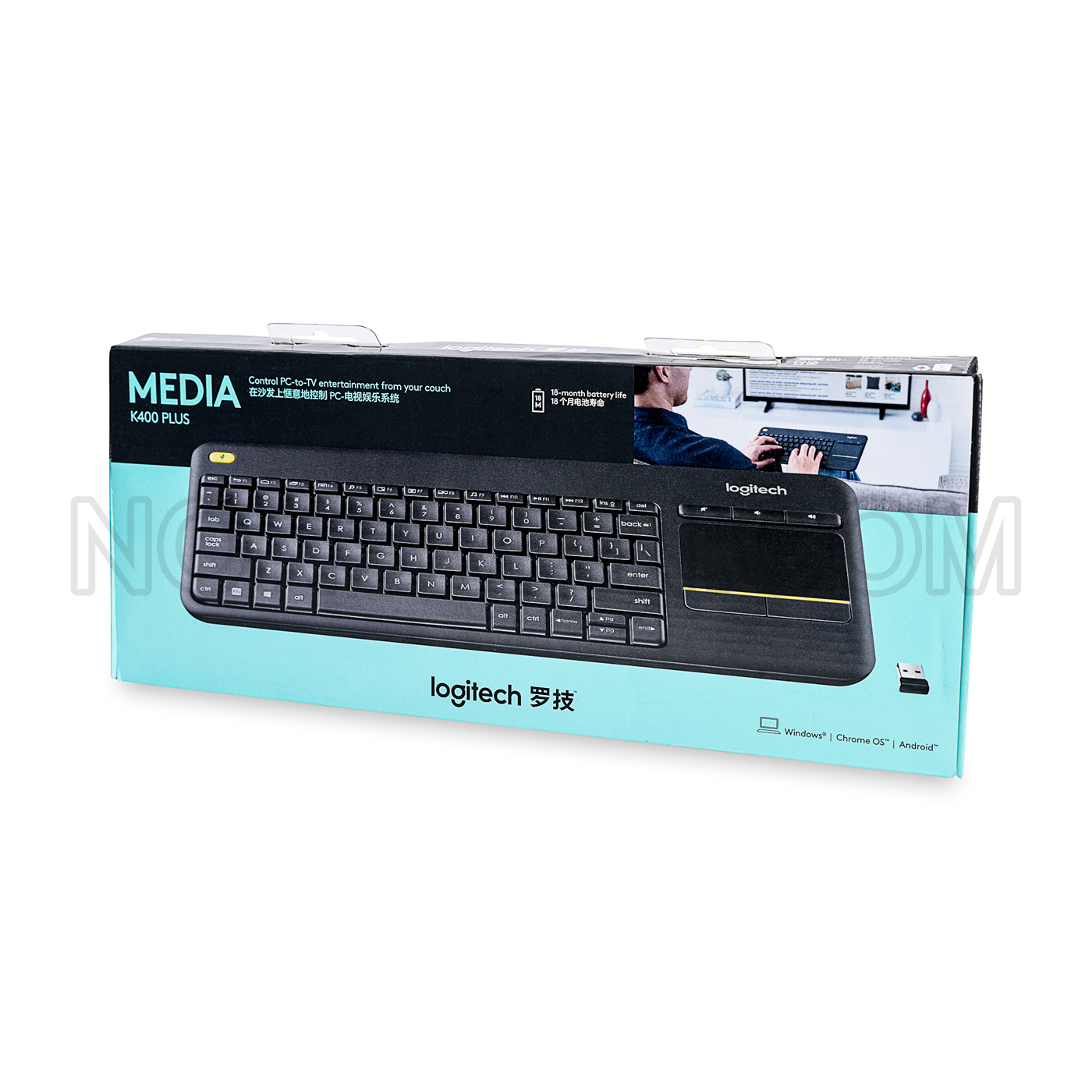
Control your laptop, desktop PC, or even TV with the Logitech K400 Wireless Keyboard with Built-In Multi-Touch. In addition to providing a quiet typing surface, it is designed to be comfortable to use. By using the Logitech unifying receiver, this Logitech wireless touch keyboard has an ample wireless range.
Logitech Keyboard K400 Plus
Control your laptop, desktop PC, or even TV with the Logitech K400 Wireless Keyboard with Built-In Multi-Touch. In addition to providing a quiet typing surface, it is designed to be comfortable to use. By using the Logitech unifying receiver, this Logitech wireless touch keyboard has an ample wireless range. It also features a large built-in multi-touch touchpad that allows you to perform a variety of tasks by only using two fingers. This touchpad keyboard can pinch zoom, pan, and scroll.
It features a long 12-month battery life that will let you do everything you have to do confidently. You can also switch from using the Logitech wireless touch keyboard on your computer to your TV quickly and easily.
About Logitech Keyboard K400 Plus
Wireless Touch Keyboard K400 Plus is a full-size keyboard layout and touchpad in a compact size.
Incurve keys are ideal for touch typists and the soft key stroke makes this a quiet keyboard.
The full-size touchpad gives you familiar scroll and navigation gestures. With the left- and right-click buttons below the touchpad and the volume control buttons above, control is at your fingertips.
For two-hand control, typically used by those who like to use their thumbs to navigate, a left mouse-click button is located on the upper left side of the keyboard—navigate with your right hand, select with your left.
TOUCH TAP
Press the Fn key and the left mouse button to toggle between touch tap disable and enabled.
You can also press the left mouse click button at the top-left of the keyboard to perform a click or comfortable two-handed navigation.
You can also tap the touchpad surface to perform a click.
SCROLLING
Scroll with two fingers, up or down.
You can also press the Fn key and slide one finger anywhere on the touchpad simultaneously to scroll for comfortable two-handed navigation.
Logitech Options
K400 Plus is a plug-and-play keyboard loaded with features right out of the box. If you like customization and loads of features, then Logitech Options software was designed for you.
Download and install Options software to do the following:
- Modify the speed of the cursor and adjust scrolling
- Review tutorial videos on gestures
- Create custom shortcut keys
- Disable and enable keys—Caps Lock, Insert, Windows Start, and more.
- Show Caps Lock notice and low-battery warning
Logitech Keyboard K400 Plus Supports
K400 Plus keyboard works with both desktop and laptop computers and is compatible with the following operating systems.
- Windows® 7 and later
- Chrome OS™
- Android™ 5.0.2 and later
Keyboard functionality, such as Hot Keys and Touchpad Gestures, may differ depending on the operating system.
A quick check of your system settings will tell you if your device is compatible with K400 Plus.
K400 Plus is a plug-and-play keyboard designed for easy use and long life. However, if you encounter any issues or have questions about your product, Logitech is here to help. Start with a visit to our Customer Support page for full support.
Logitech Keyboard K400 Plus Many other features
- 10m wireless range
- Large 3.5″ built-in touchpad
- Plug-and-play simplicity
- Logitech unifying receiver
- The twelve-month battery life of the Logitech k400 wireless keyboard
- Comfortable, quiet typing
- The multi-touch touchpad can be used to pinch zoom, pan, and scroll, and rotate with two fingers
- Has ample wireless range
- Can be used with your laptop, desktop PC, or TV